DataLake
Overview
A data lake is raw storage — files sitting in cheap, flexible storage like a cloud bucket — without the structure a database normally gives you. DataLake in Rosetta DBT Studio lets you organize that raw storage into queryable, database-like tables using a table format.
Table formats add back what raw files alone don't have: defined tables, schema tracking, version history, and safe concurrent access. This combination — cheap lake storage plus database-like structure — is often called a lakehouse.
Open it from DataLake in the left sidebar.
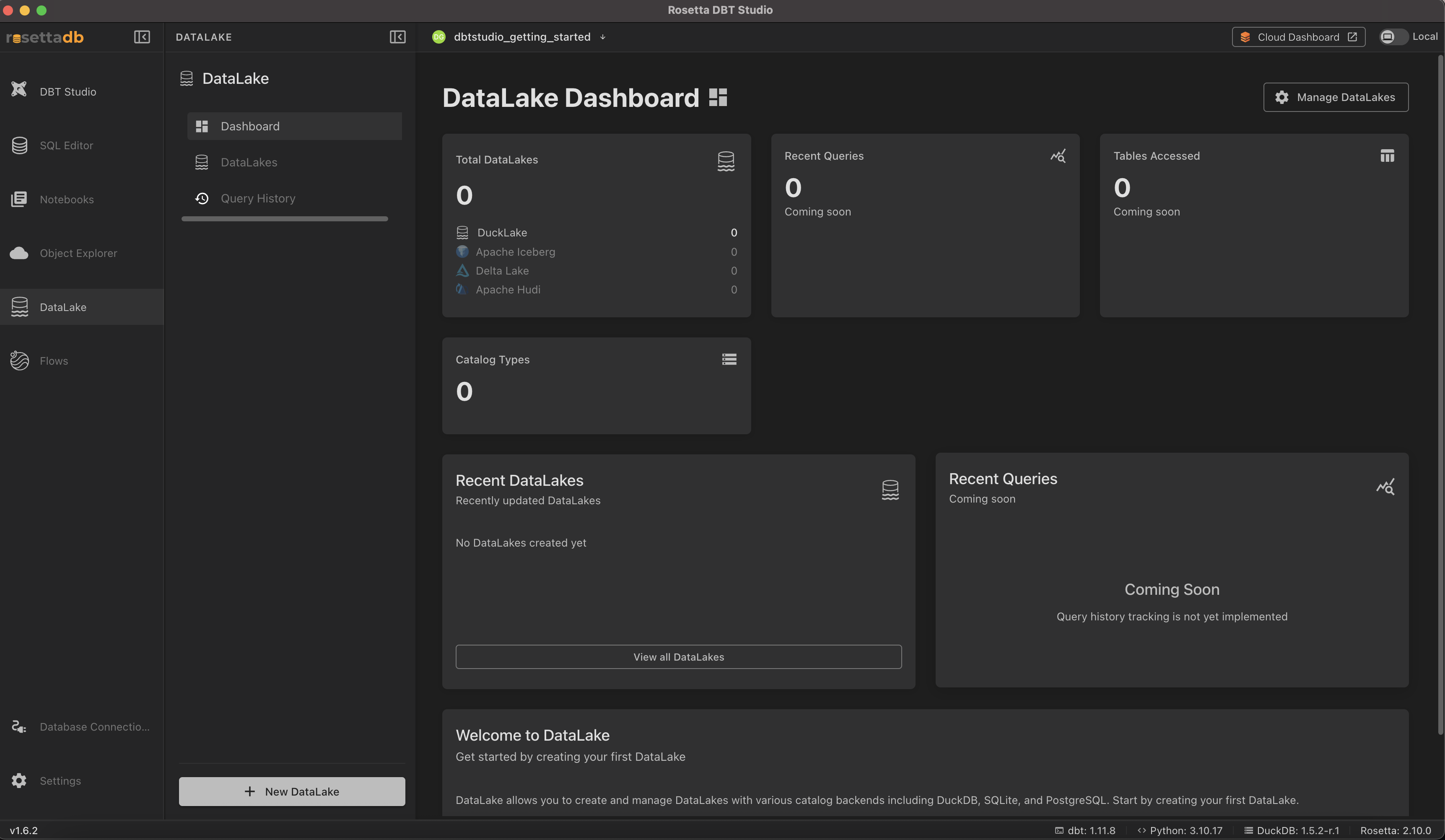
Dashboard
The dashboard gives you an overview:
- Total DataLakes — how many you've created, broken down by table format
- Catalog Types — the catalog backends in use
- Recent DataLakes — the ones you've most recently created or updated
- Recent Queries and Tables Accessed — usage tracking (marked Coming soon)
Creating a DataLake
Click New DataLake to create one.
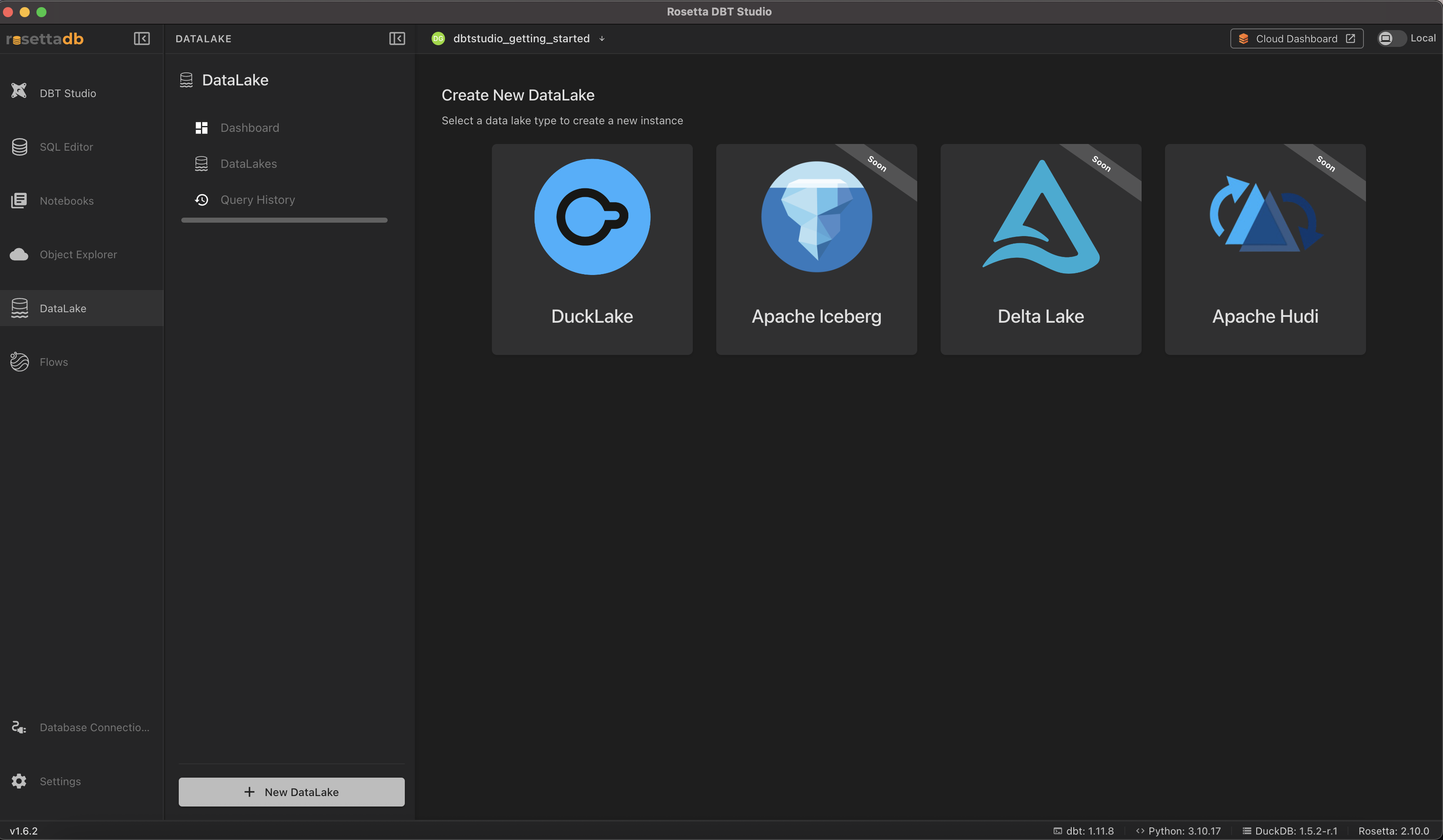
Choose a table format:
- DuckLake — available now
- Apache Iceberg — coming soon
- Delta Lake — coming soon
- Apache Hudi — coming soon
Only DuckLake can be created today; the others are shown for what's on the roadmap.
DataLake supports catalog backends including DuckDB, SQLite, and PostgreSQL — the catalog is what tracks which tables exist in your data lake and where they live.
Common Issues
I can't select Apache Iceberg, Delta Lake, or Apache Hudi → These table formats are marked Soon and aren't available to create yet. Use DuckLake for now.
Recent Queries and Tables Accessed show "Coming soon" → These features aren't implemented yet in the current version.